What Wekup does
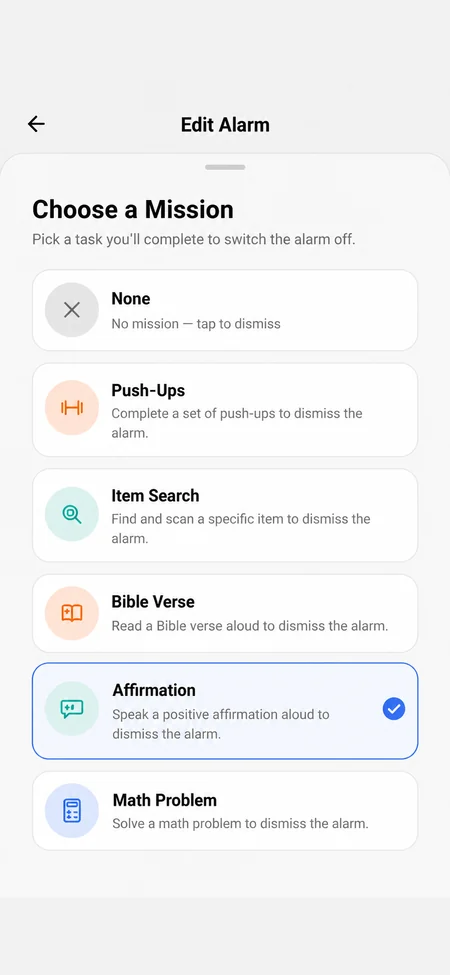
When an alarm with a mission rings, there is no snooze and no dismiss button. It keeps ringing until you finish the mission you picked the night before. Missions are checked, not timed, and there is no skip button.
- Push-Ups: the front camera captures a few frames and checks for real push-up movement.
- Item Search: Wekup names an everyday object, like your toothbrush or keys, and you photograph it. Choose which of 30 items it can ask for.
- Math Problem: three quick sums on a number pad. No camera needed.
- Affirmation: read a positive affirmation out loud. Your words are transcribed and compared with the text.
- Bible Verse: read a verse aloud to start your morning in scripture.
What you get with Wekup
- Two spoken missions, Affirmation and Bible Verse, for people who want their first words of the day to be good ones.
- Full-screen alarms over the lock screen at full alarm volume, plus a warning on the home screen if a phone setting is blocking them.
- Nine alarm tones, from Piano and Birds to Rooster and Buzzer, chosen per alarm.
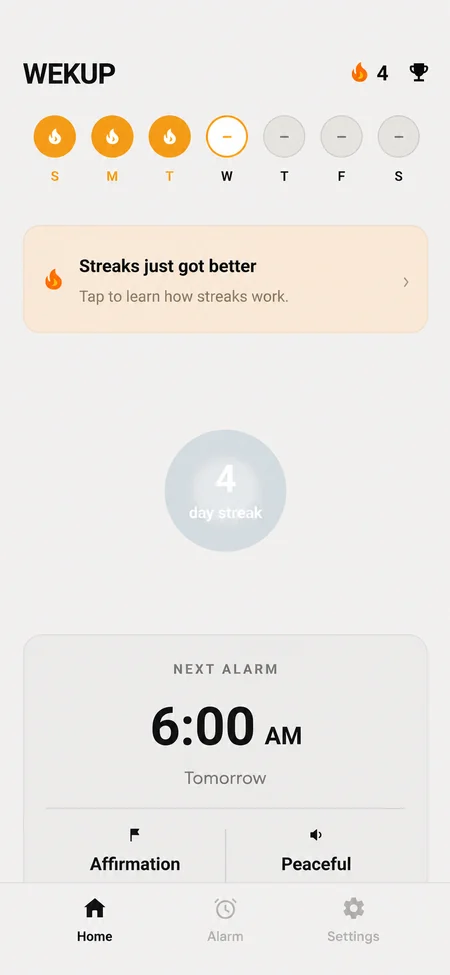
- A streak, a history of every alarm (including the ones you missed) and achievements.
- Photos and voice recordings are used for one check and never saved to your account or our database.
Is it right for you?
Try it on real mornings first. Wekup is free to download, you can start without an account, and your first mission wake-up is free. After that, missions need a monthly or yearly subscription; without one, your alarms keep ringing as ordinary alarms with Dismiss and, on Android, one 5-minute snooze. If the store offers you a free trial, you see it before you pay.
Alarmy is a trademark of its respective owner. Wekup is not affiliated with or endorsed by it.