Why snoozing keeps you tired
Every snooze restarts your wake-up. Instead of getting up once, you wake up four or five times, and each nine-minute nap is too short to feel like rest. Seven snoozes is 63 minutes you meant to spend on something else.
Moving your phone across the room helps for a few days. Then you learn to walk over, silence it and climb back into bed. The fix isn't distance. It's an alarm you can't silence without actually getting up.
How Wekup's no-snooze alarm works
Set the alarm
Pick the time, the days it repeats and one of nine tones, from gentle piano to a rooster.
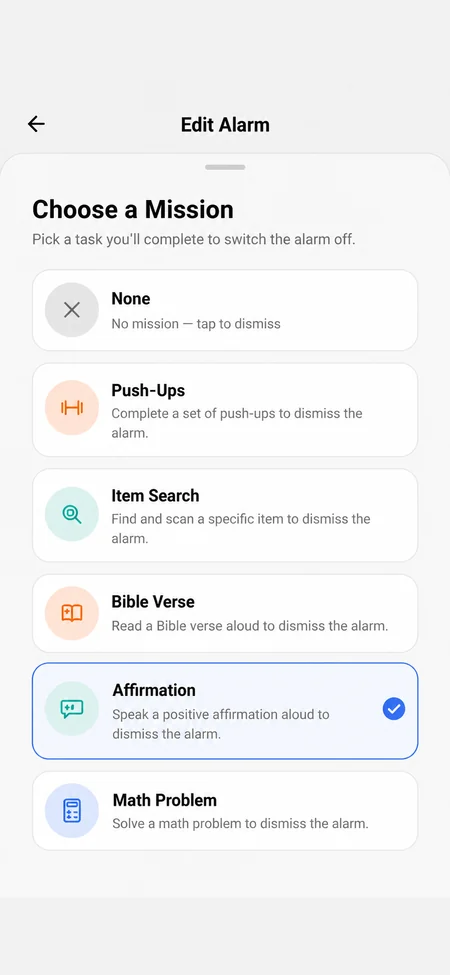
Attach a mission
Choose Push-Ups, Item Search, Math Problem, Affirmation or Bible Verse. Every alarm can have its own.
Finish it to stop the ringing
When a mission alarm goes off, the only way to silence it is to complete the mission. By then you're up.
Missions are checked, not timed
A countdown can be waited out half-asleep, so Wekup checks the result instead. Push-Ups uses the front camera to confirm real movement. Item Search confirms your photo shows the object it asked for. Spoken missions are transcribed and compared with the text, and Math checks your answers. There's no skip button.
Photos and recordings are used for that one check. We don't store them, and they're never saved to your account. OpenAI, which runs the check, doesn't train on them and may hold them for up to 30 days for abuse monitoring before deleting them.
Built for the mornings after the first one
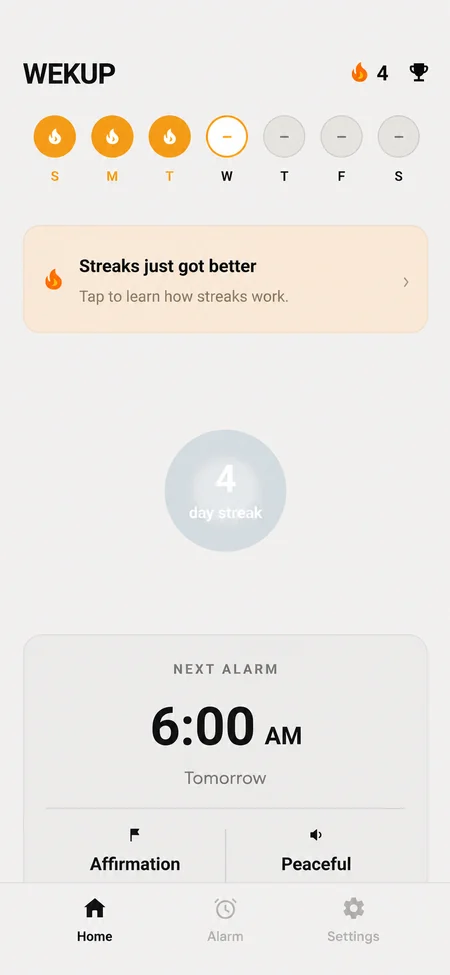
- A streak that grows every alarm day you're up on time, and resets when you're not. Days none of your repeating alarms is set for don't break it.
- A wake-up history that records every alarm, including the ones you didn't complete.
- Achievements for the long runs.
- Full-screen alarms that ring on the lock screen, plus a warning on the home screen if a phone setting is blocking them.