Skip to content
About Wekup

Wekup: the alarm app you can't snooze

Wekup (often typed as Weekup, Week Up, Weckup, Wakeup or Wake Up app) is an alarm clock for heavy sleepers. The name is just "wake up" with the extra letters taken out.

Get it onGoogle PlayComing soonApp Store

Set an alarm, pick a mission, and when it rings the only way to stop it is to finish the mission. No snooze button, no dismiss button.

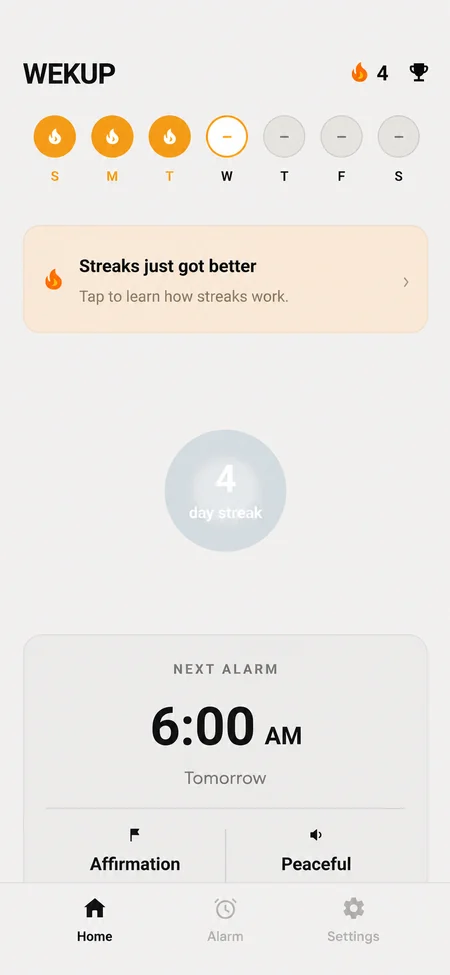
Wekup home screen with the next alarm set for 6:30 AM with a Math Problem mission, the free wake-up counter and the weekly streak row

What you can do with Wekup

  • Push-Ups: the front camera checks for real movement.
  • Item Search: find and photograph an object like your toothbrush or keys.
  • Math Problem: three quick sums on a number pad.
  • Affirmation and Bible Verse: read the text aloud.
  • Streaks and a history of every alarm, including missed ones.

Looking for the Wekup app?

Search for "Wekup" on Google Play, or open the Wekup: Heavy Sleeper Alarm page. If your search keeps turning into "wake up", add "alarm" or "no snooze" to find it faster. Wekup is available on Android now; the iPhone version is coming.

Is it a wake up app or an alarm clock?

Both. It rings like an alarm clock, with full-screen alarms over the lock screen, and it works as a wake up app because you have to be up and doing something to turn it off.

Questions

Questions people ask

Yes. People type it as Weekup, Week Up, Weckup, Wakeup, Wake Up or Wekup. The app on Google Play is called Wekup: Heavy Sleeper Alarm.

Still stuck? Email us and a human will get back to you.

Tomorrow morning starts tonight

Set one alarm and pick one mission before bed. Then find out what you do with the time you used to snooze away.

Get it onGoogle PlayComing soonApp Store

Free to download · First mission wake-up free · No account needed

Wekup home screen with the next alarm set for 6:30 AM with a Math Problem mission, the free wake-up counter and the weekly streak row